Demo Walkthrough
Product storytelling guide
This page gives a product-facing walkthrough for showing Builder Insights end to end. Use it for leadership demos, stakeholder reviews, onboarding, and internal product storytelling.
Demo credentials
- Admin control plane: https://devrel-insights-admin.vercel.app
- Demo login: demo@devrelinsights.app
- Demo code: 999999
- TestFlight: https://testflight.apple.com/join/rAqHXs1Y
The admin hostname and demo login still use legacy devrel identifiers during the transition.
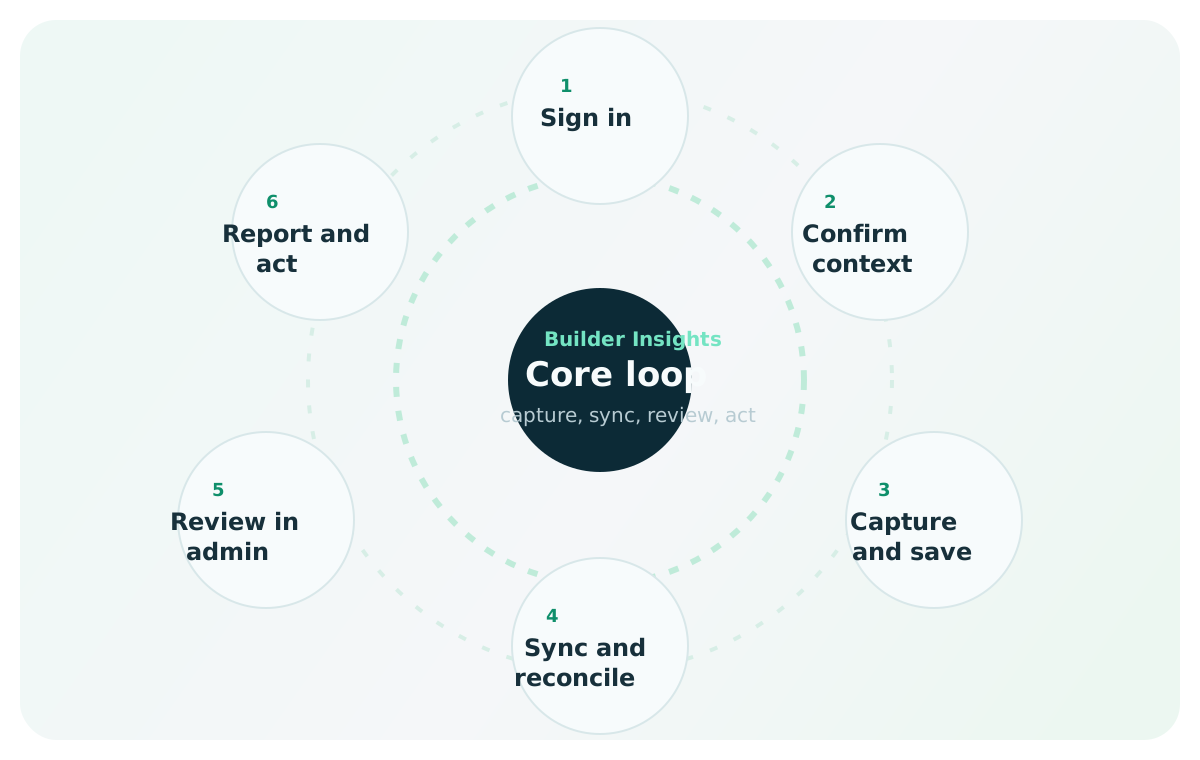
Best demo narrative
Tell one clear story from lost field insight to visible business action
The strongest demo is not a page tour. It is a narrative: explain the problem, capture one real signal in the moment, show that the product protects trust under imperfect conditions, then prove the insight becomes visible in the admin control plane.
- start with the operational pain of scattered field feedback
- show how mobile capture reduces friction in the moment
- show how admin visibility turns the signal into something useful
Demo arc
Explain that valuable field insight often gets scattered across notes, chat, memory, and delayed summaries.
Use one short realistic example so the audience sees how little friction the workflow should add.
If appropriate, briefly show that save behavior still feels safe when connectivity is weak or missing.
Move from field capture to operational visibility without losing the narrative thread.
Use dashboard, insights, and reporting views to prove the signal became actionable system data.
Before you begin
QA check
Demo readiness checklist
- mobile app installed on a physical iPhone when possible
- admin control plane open in a browser tab
- demo account logged in or ready to sign in quickly
- sample insights available in the system
- screen mirroring ready if presenting live
Act 1: The problem
Open by explaining the operational pain:
- advocates hear valuable feedback in the field
- those insights often end up scattered across notes, chat, or memory
- leadership and product teams get summaries too late or not at all
Key message:
Builder Insights turns hallway conversations into structured, actionable data.
Act 2: Mobile capture story
Demo moment
What to emphasize on the mobile home screen
This is where the audience decides whether the product feels lightweight enough for real field use.
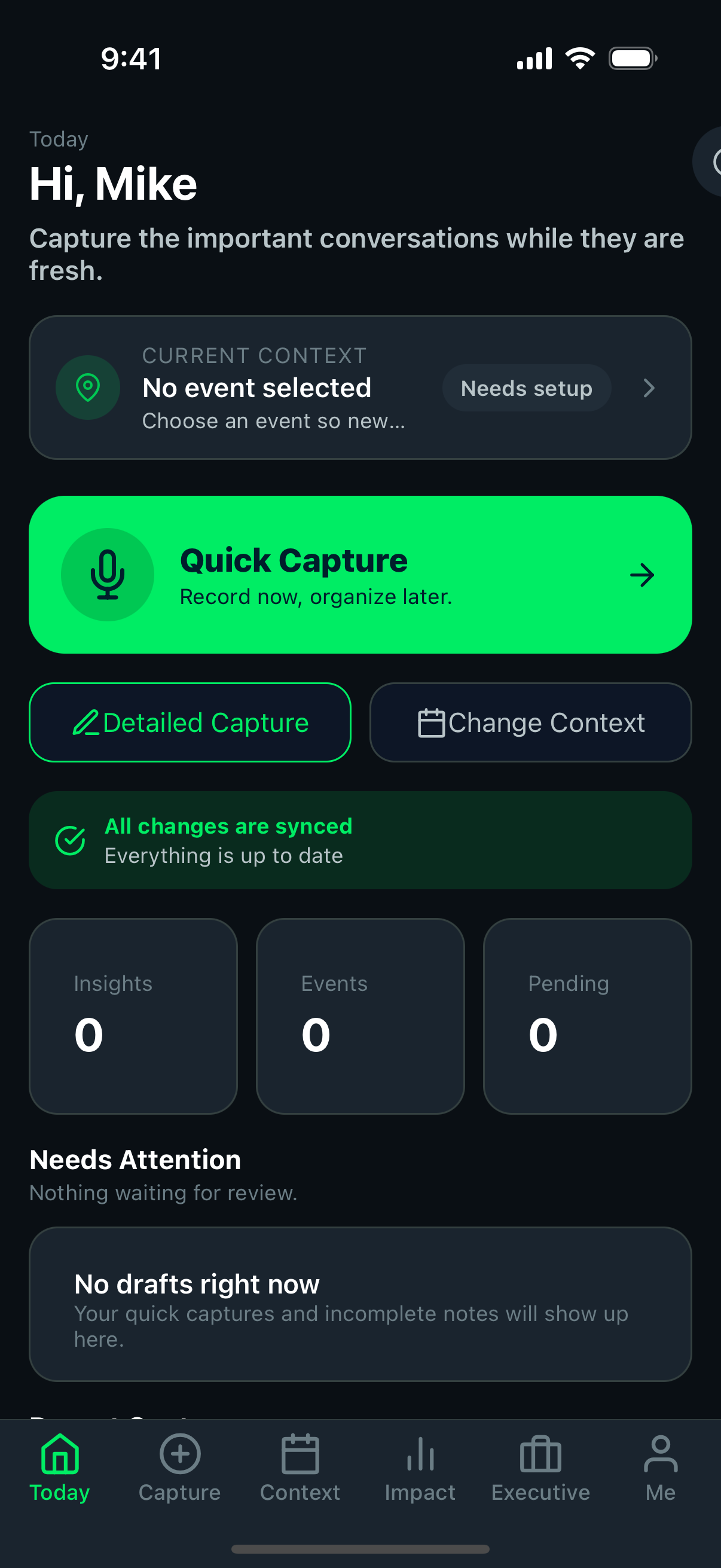
Emphasize that the primary action is obvious because field workflows need speed, not setup friction.
Point out the parts of the screen that help a user understand app state, context, and whether the system feels healthy.
Show that the user can move to context, reporting, and profile surfaces without the product feeling overloaded.
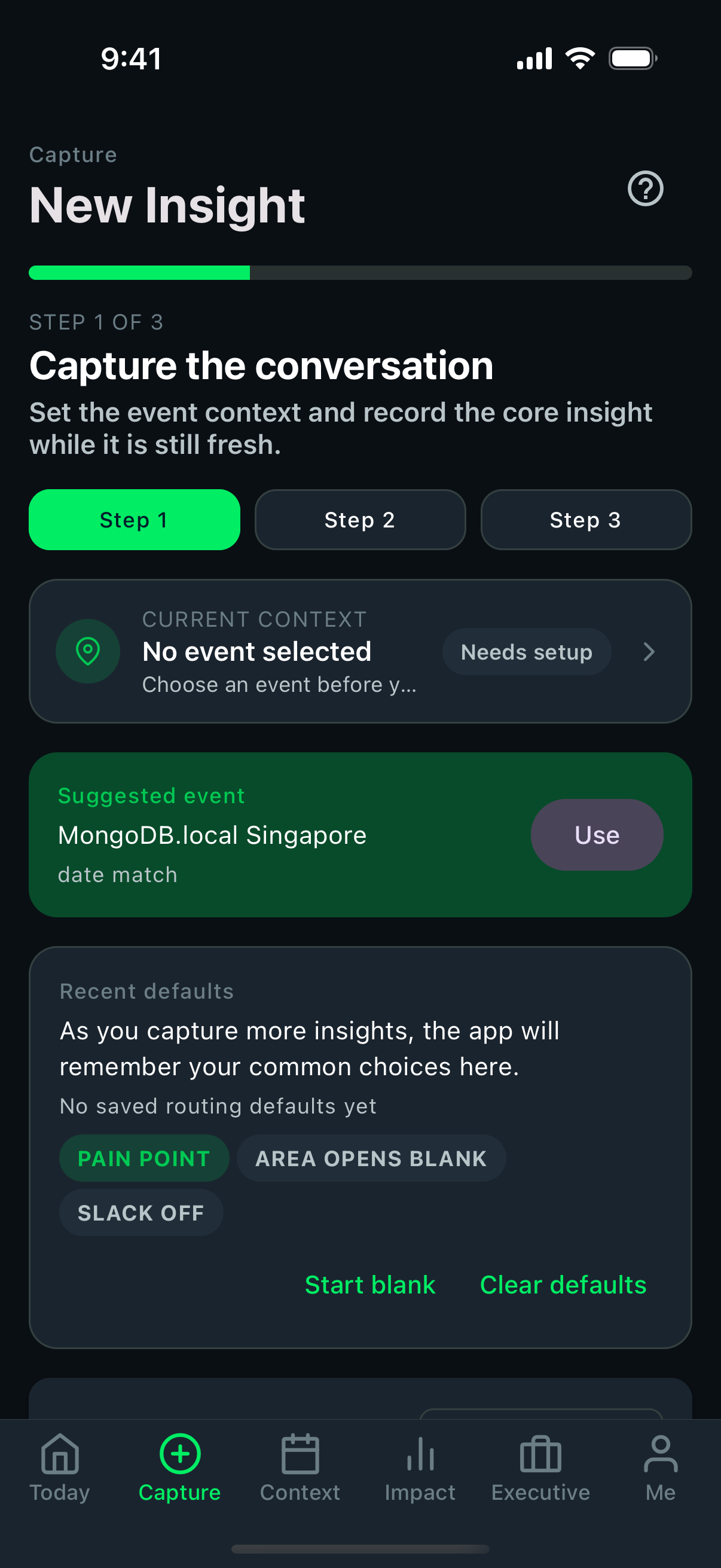 Text capture
Create one short text insight and show that the workflow stays fast enough for in-the-moment use.
- set type, product area, sentiment, and priority
- save and confirm the result appears immediately
- use realistic language rather than a contrived placeholder
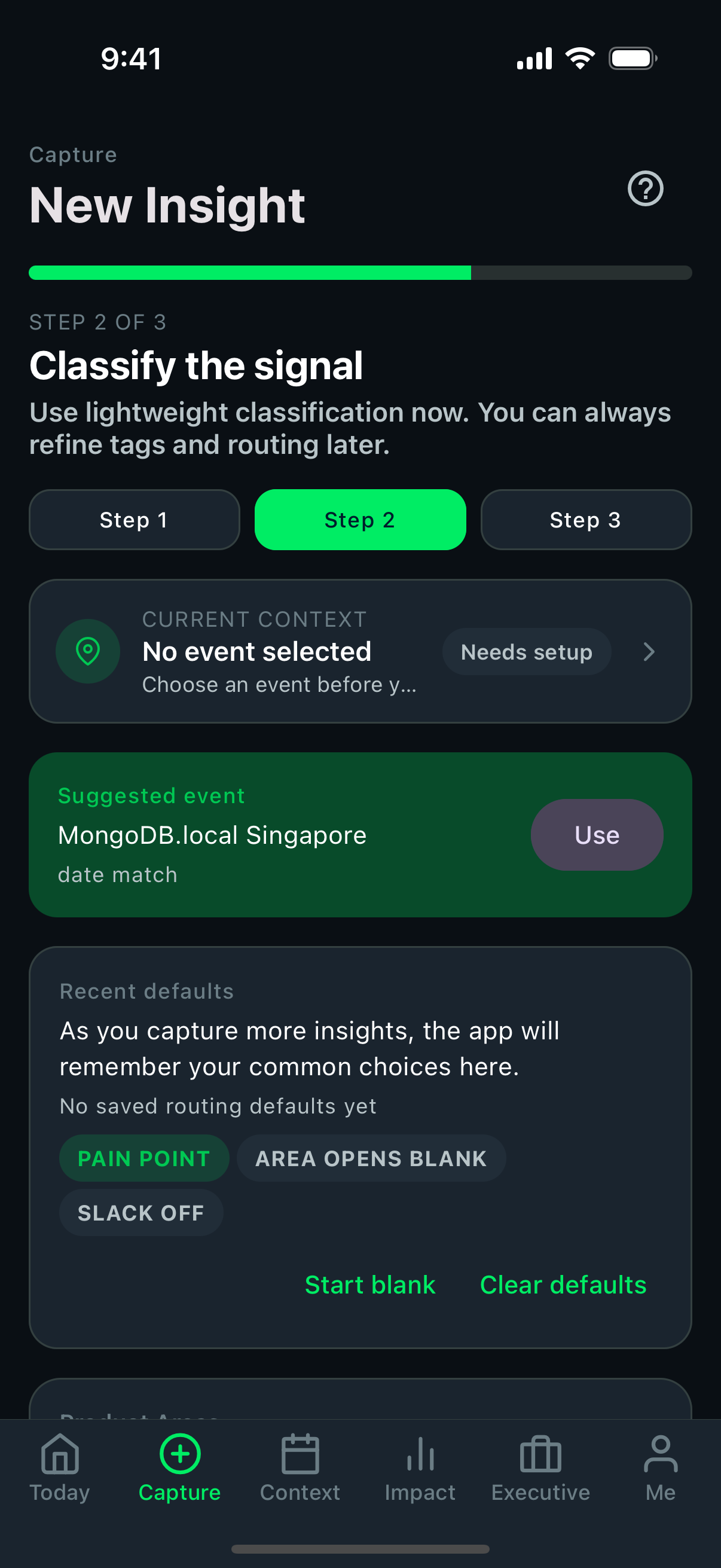 Voice or structured capture
If the audience cares, show that richer input still stays lightweight and recoverable.
- record a short voice example if permissions and environment allow it
- show transcription or draft recovery behavior
- emphasize that the flow still fits inside a short field interaction
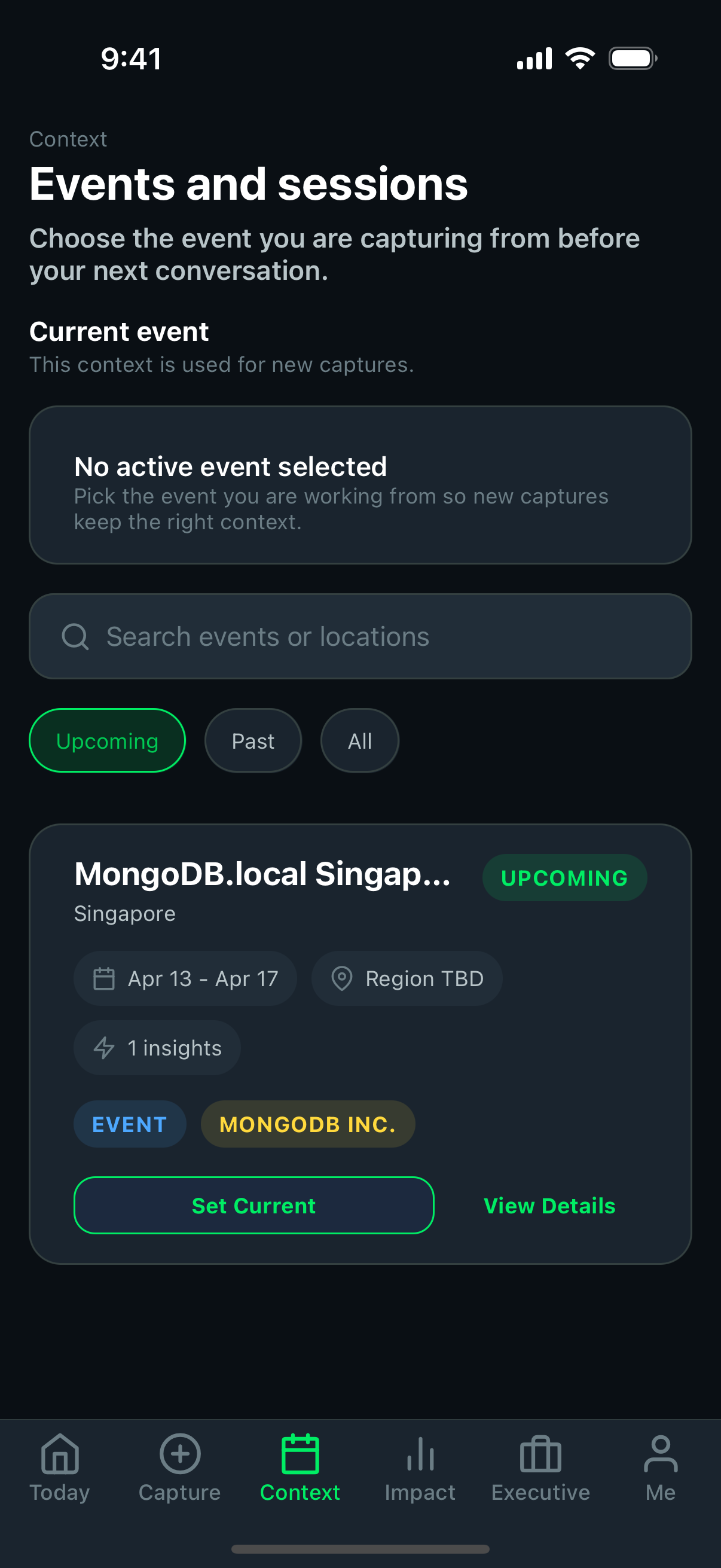 Context matters
Explain how event and session context make later analysis and reporting significantly more useful.
- show where the context comes from
- connect it to later search, attribution, and reporting
- keep the explanation short so the demo does not get lost in setup details
Suggested demo text:
Builder from fintech company struggling with Vector Search indexing. Documentation unclear on index field mapping.
Decision
Offline demo guidance
Only simulate offline conditions if the environment supports it cleanly. A short, believable save-plus-pending-state moment is stronger than a risky live network stunt.
Act 3: Admin control plane analysis
Demo payoff
What to emphasize in the admin control plane
This is where the audience should understand that field input became searchable, attributable, and decision-ready system data.
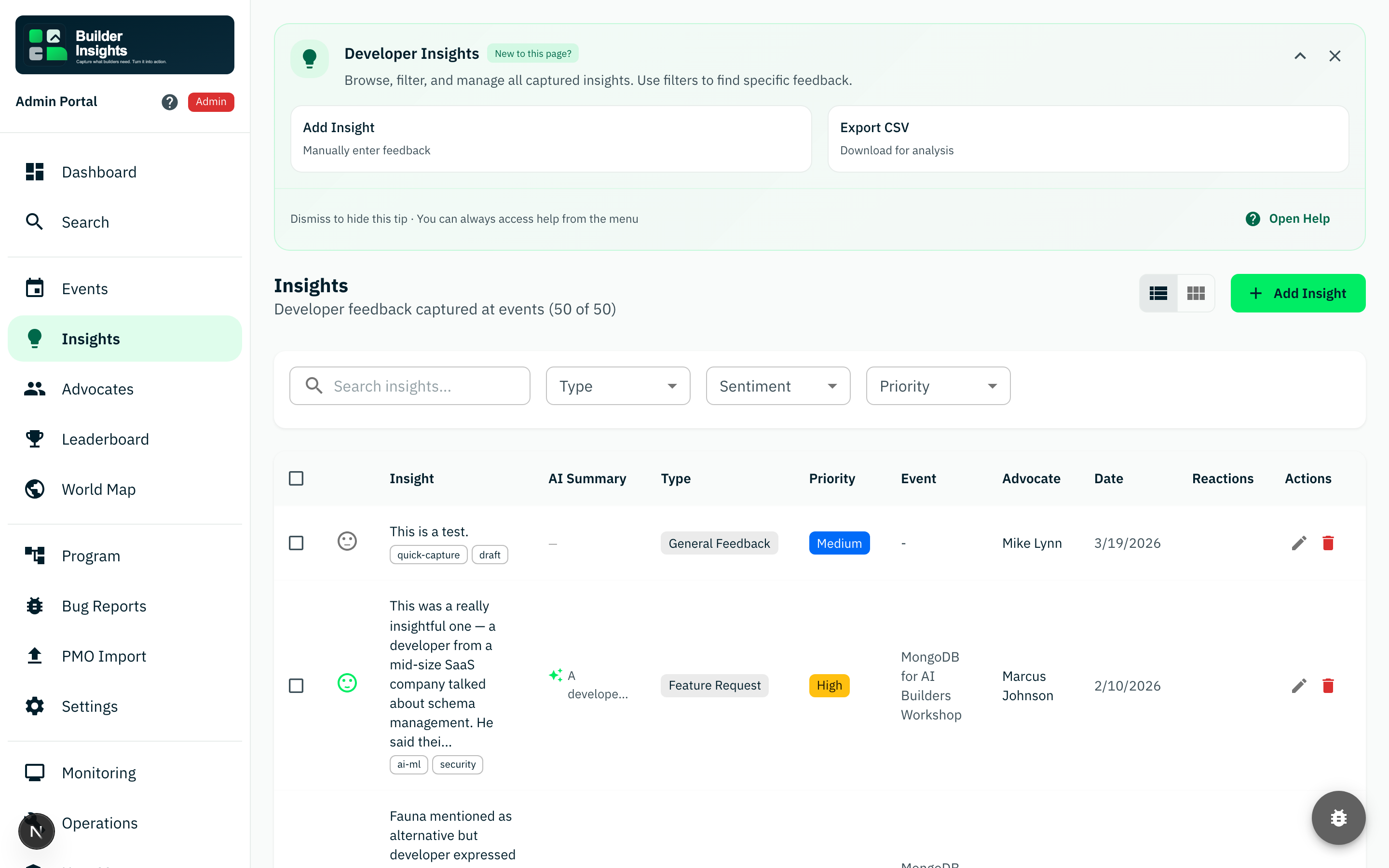
Use a term from the captured example and show that field input can now be found and reviewed centrally.
Show that the detail still preserves what was actually heard in the field, not only a stripped-down summary.
Explain that review, reporting, exports, and follow-up work can continue from here without rebuilding the story manually.
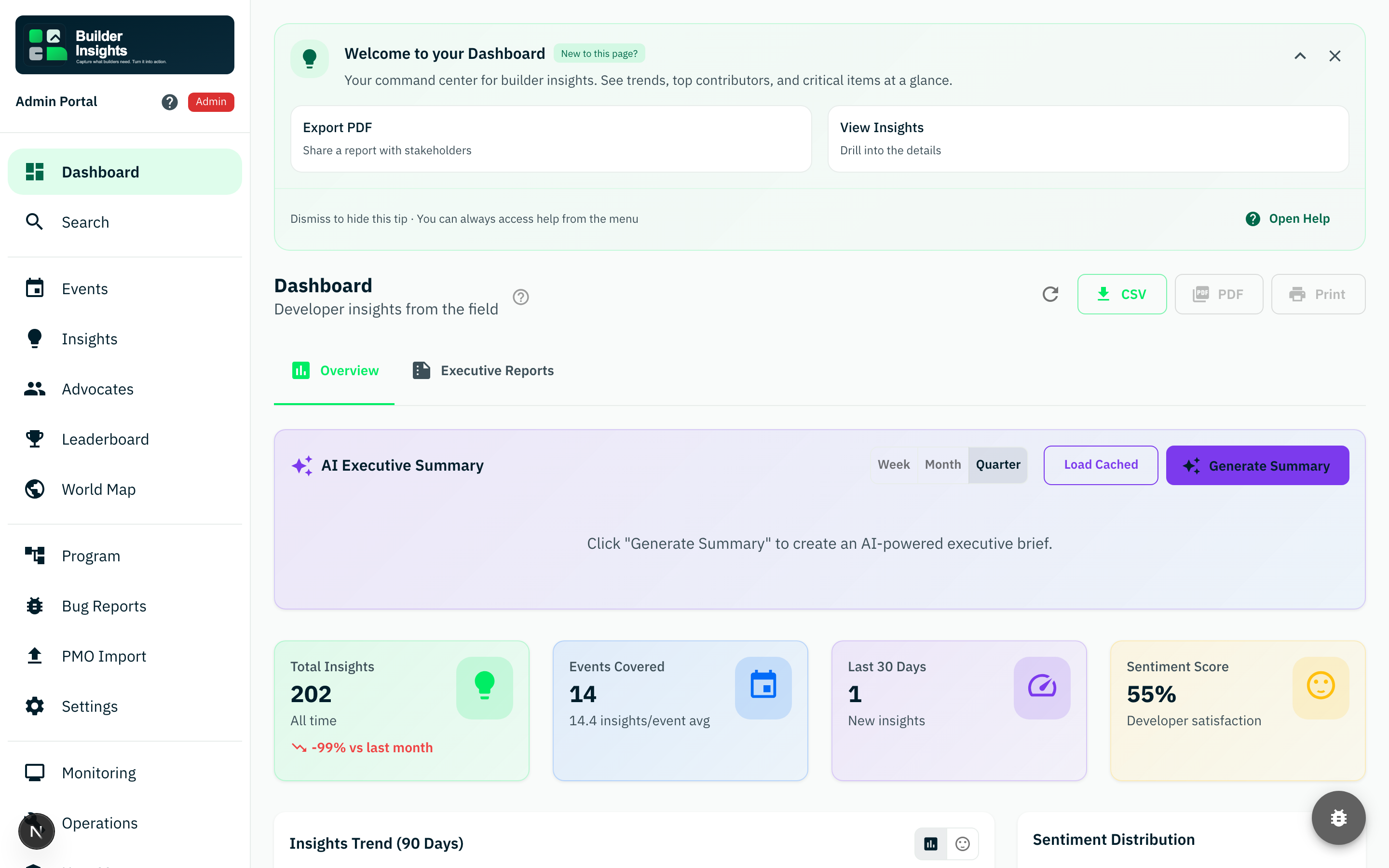 Dashboard
Show overview stats and high-level trends so leadership can see visibility without waiting on manual summaries.
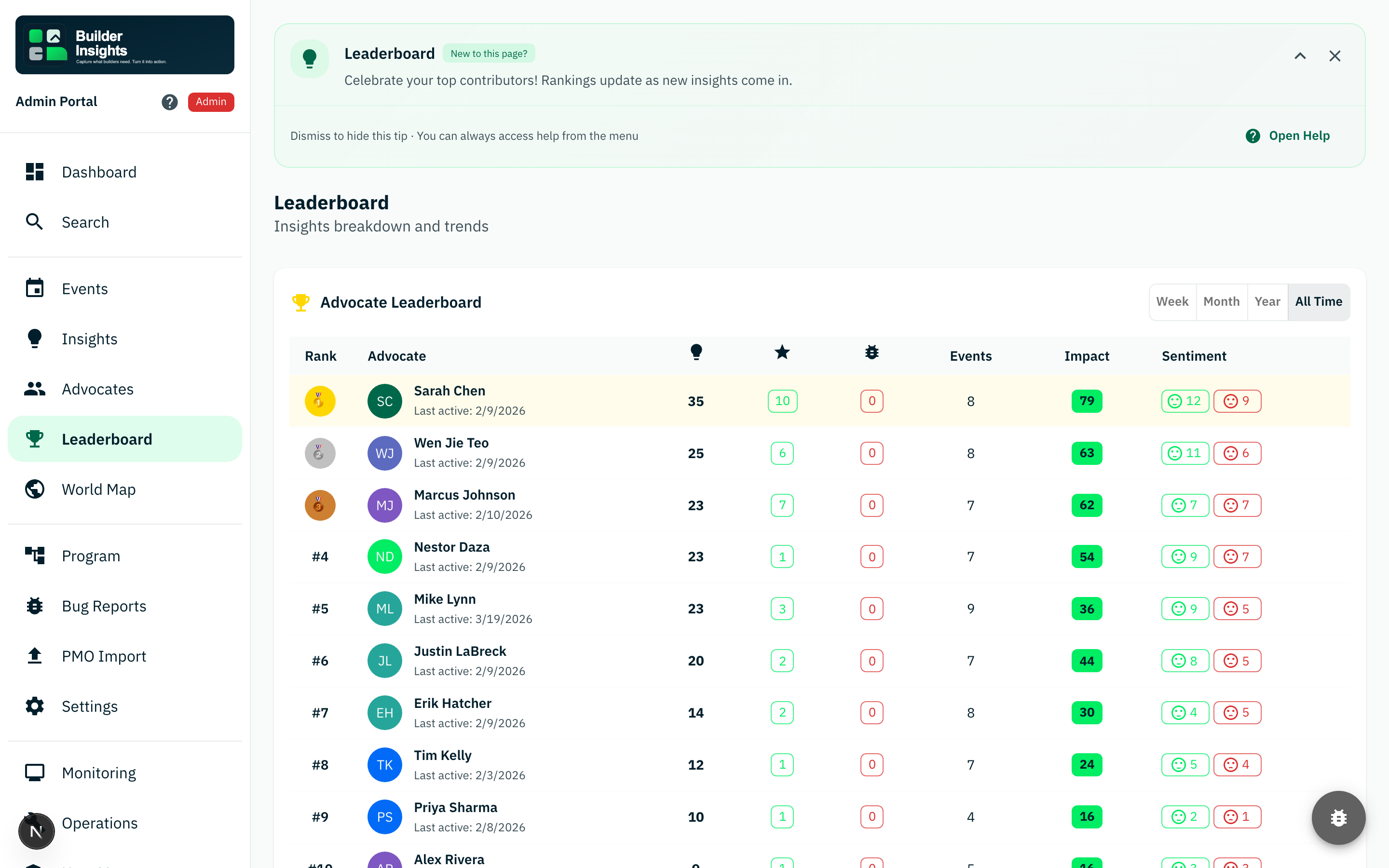 Leaderboard
Use the leaderboard to show contribution rankings and adoption patterns across the team.
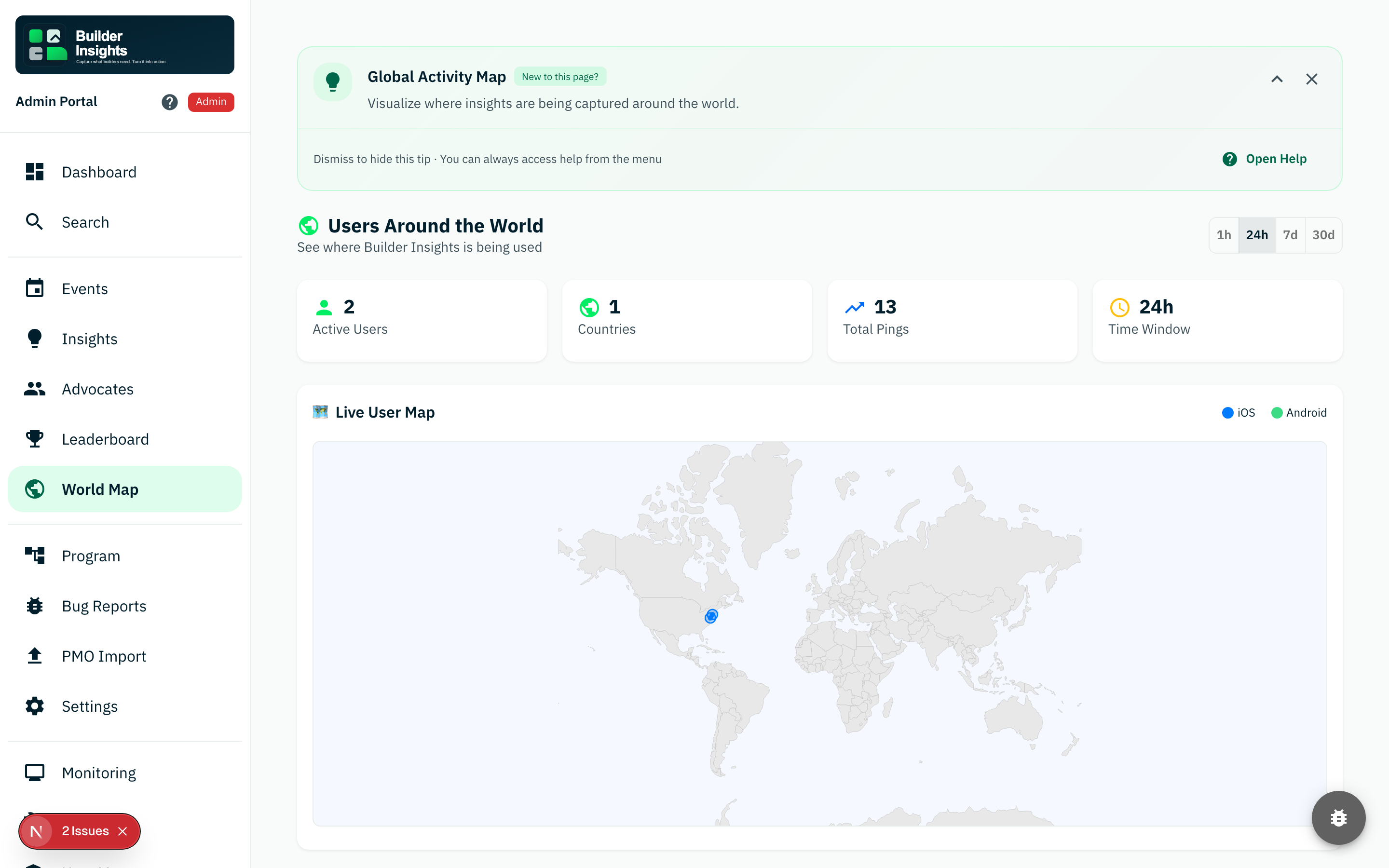 World map
Show geographic reach and live user activity if the audience cares about operational scale.
Act 4: The close
Bring the story together:
- capture happens in the moment
- offline does not block the workflow
- sync moves insights into a shared system
- admin views turn raw feedback into decisions, reporting, and follow-up
Best points to emphasize
- fast field capture
- offline-first reliability
- structured metadata instead of unsearchable notes
- shared visibility for managers and leadership
- reduced manual synthesis work
Troubleshooting tips
| Issue | Suggested fix |
|---|---|
| App login fails | Re-enter demo@devrelinsights.app and 999999, then relaunch if needed |
| Portal redirects to login | Re-authenticate and refresh the page |
| Voice capture fails | Check microphone permissions and network state |
| Insight not visible in admin yet | Refresh the page and confirm mobile sync completed |
| Demo feels slow | Use preloaded data and keep the live capture portion short |
Risk
What weakens a live demo quickly
- too much setup before showing the core workflow
- over-explaining implementation detail instead of user value
- relying on a fragile network moment when a simpler narrative would work better
- showing too many supporting screens before the central capture-to-analysis story lands
Quick cheat sheet
| Section | What to show |
|---|---|
| Problem | Lost field insights and slow reporting |
| Mobile | Login, home, text capture, voice capture, offline save |
| Context | Events and capture context |
| Admin | Dashboard, insights, reporting surfaces |
| Close | Capture to analysis to decision-making |